PHONE: 1-888-519-3443











PHONE: 1-888-519-3443
For onboarding and internal communication design, choose an agency by checking how it organizes approved information for employees, hands editable files to the team, and keeps updates consistent across formats. Start with a brief that identifies the audience, the action each piece supports, and who approves the content. A welcome guide and a manager presentation need a shared visual system, but they serve different moments in the employee journey.
List the moments the materials must support: before the first day, the first team meeting, the first week, and later reference. Give each moment a specific information need. A welcome email can point to the first-day schedule; a guide can explain where to find current resources; a manager deck can support a conversation. Avoid putting every policy into every format.
Create a content register before asking for layouts. For each piece, record its audience, owner, source document, approver, format, and review date. Keep policy language with the people responsible for that policy. The design brief should distinguish approved copy from questions still awaiting an answer. Designers can organize information; the employer must verify instructions, benefits, contacts, and policy statements.
These are possible deliverables to discuss, rather than a fixed package. Confirm the software your team actually uses before requesting source files. Ask which fonts, image rights, and supporting assets are included, and agree on responsibility for future changes. If the kit needs translation, establish who approves each language version before layout begins.
The PGA HOPE case study describes The NetMen Corp's work on event signage, printed programs, marketing collateral, and outreach materials. It is an example of coordinated visual materials across formats. It is not an employee onboarding case, and the page does not establish HR policy expertise or an internal communication outcome.
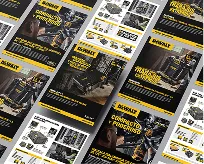
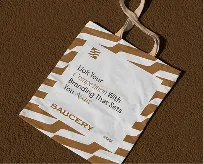
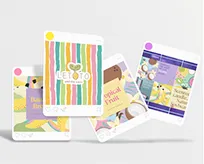
When reviewing an agency, ask it to explain a relevant production process as well as show finished visuals. For this brief, the useful questions concern information hierarchy, consistency between pieces, file ownership, and revision handling. A portfolio image alone cannot tell you whether an employee guide can be maintained by your team.
Review one representative section before extending a layout across the kit. Use approved content of realistic length, including long department names and links. Ask a content owner to check accuracy and a person unfamiliar with the material to locate a next step. Record what they could not find and revise the hierarchy before producing all versions.
Include legibility and access requirements in the brief. Discuss text size, contrast, meaningful link labels, and reading order for the intended formats. If tagged PDFs, screen-reader testing, or a specific accessibility standard are required, confirm the scope and the qualified reviewer explicitly. Attractive layouts alone do not establish accessibility compliance.
Set a version name and a single location for the current kit. Identify who can approve replacement copy and how outdated exports will be withdrawn from circulation. Review recurring details such as contact information, resource links, and meeting locations on an agreed schedule. Keep sensitive employee information outside a general design brief.
For a project discussion, review The NetMen Corp's print design services and contact the team with your audience, content register, required formats, and approval owners. Confirm the deliverables, editing workflow, and any specialist requirements in the proposed scope before starting.