PHONE: 1-888-519-3443










PHONE: 1-888-519-3443
Most packaging launches don't fail because the design is bad. They fail because three things are out of sync: the print file, the manufacturing line, and the channel asset pack.
This is the checklist The NetMen Corp uses across 100+ CPG launches. It's written in the order work actually happens, not the order pretty slides show it. If you skip any step, the consequence shows up two weeks later on shelf or on a PDP — when it's too late to fix cheaply.
- [ ] Confirm the manufacturing window. Exact date packaging needs to be at the printer. Every other deadline works backward from this.
- [ ] Confirm the printer. Name, contact, pre-flight spec (bleed, color mode, profile), and last successful run. New printer = new color drift.
- [ ] Lock the SKU list. Every flavor, size, format. Adding a SKU after design starts costs 2-3x.
- [ ] Ingredient/nutrition panel final. If this changes mid-design, the panel rebuild cascades into variant artwork + retailer re-approvals.
- [ ] Retailer list. Whole Foods and Sprouts have different case-pack and callout requirements than Amazon-only brands.
- [ ] Regulatory check-in. Any claim that needs FDA review (structure-function, organic, non-GMO, etc.) should be in legal review before it hits the pack.
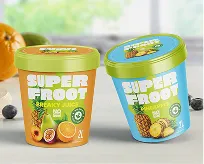
- [ ] Primary pack artwork with final copy, claims hierarchy, variant system.
- [ ] Secondary packaging (case pack, shelf tray, display) — retailers ask for this on day one, not week four.
- [ ] Pre-flight with printer at 80% completion, not 100%. Cheap changes happen here; expensive ones happen post-delivery.
- [ ] Dieline checked by printer. Specifically bleed, trap, die-to-art registration.
- [ ] Barcode validated. GS1 scan test on actual print sample. A barcode that works on-screen often fails on uncoated stock.
- [ ] Color managed. ICC profile matches the printer's last run. Not "similar" — the same profile file.
- [ ] Physical mockup in hand before production greenlight. No exceptions.
Packaging that ships without the channel asset pack loses half its retail and DTC conversion for weeks while the team scrambles to generate assets after-the-fact.
- [ ] Amazon main image — the one image that drives ~80% of Amazon conversion. 1000×1000 min, on white, with text overlay if allowed in your category.
- [ ] Amazon A+ content — 3-5 module images, benefit-first copy, lifestyle + ingredient story.
- [ ] Shopify PDP gallery — hero, lifestyle, 3 feature callouts, size comparison, ingredient panel, back-of-pack closeup.
- [ ] DTC email hero for launch announcement. Same art as PDP hero so new subscribers don't see two different "looks".
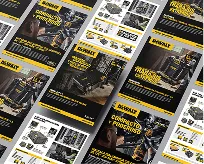
- [ ] Retailer buyer deck slides with the new pack + case-pack art + 4-week shelf mock.
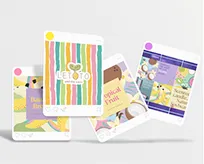
- [ ] Social launch assets — 3 posts minimum, 1 reel/short, 1 story sequence.
- [ ] Sales sheet for any broker or distributor presentations.
The NetMen Corp delivers all seven of these assets with the primary packaging in the same engagement. Treating them as separate projects is where most CPG brands lose 2-3 weeks.
- [ ] Press check or press proof reviewed (in person when budget allows).
- [ ] First production run color-approved. If it drifts, stop the line. Fixing a print run post-delivery costs more than a few days of delay.
- [ ] Retailer submission — buyer decks, physical samples, case pack art all submitted together.
- [ ] Amazon catalog update scheduled for the exact launch day.
- [ ] DTC inventory loaded into the 3PL with the new SKU codes and UPC.
- [ ] Team trained on new pack — customer service, sales, social. Every single person who will get asked about it should know the answer.
- [ ] Shelf audit — physical walkthrough of at least 3 key doors (Whole Foods, local indies, Sprouts). Photos back to the team. Shelf position, block reading, competitive set.
- [ ] Amazon conversion rate snapshot — baseline week 1, compare week 2 and 4.
- [ ] Customer feedback sweep — first 200 reviews + customer service tickets. Patterns > individual complaints.
- [ ] Retailer performance sync — first sell-through numbers. Buyers remember brands that check in proactively.
- Printer says "yes we can match" but has never run your substrate. Change printer.
- Agency won't commit to a calendar day for file delivery. Change agency.
- Retailer buyer asks for a callout change you can't make by the submission deadline. Negotiate delay, don't ship with wrong artwork.
- First press sample has color drift. Stop. Fix or reprint.
- Launch week and your Amazon main image isn't the new pack. Your PDP conversion just dropped 20%.
We sync every deliverable to the manufacturing milestone. You give us the date packaging needs to be at the printer, and we build the timeline backward with the channel asset pack in parallel. That means the pack hits the shelf the same week as the new formulation, the DTC launch, the Amazon update, and the email — all at the same time, all with the same art.
Result: no gap between formula and pack, no weeks-of-scramble to make the PDP look like the carton, no "where's the Amazon image" on launch day.
If that's how you want your next launch to run, book 20 minutes
Lorem ipsum dolor sit amet, consectetur adipiscing elit. Etiam aliquam iaculis purus eu facilisis. Quisque sit amet nunc non ipsum dapibus porttitor.
Lorem ipsum dolor sit amet, consectetur adipiscing elit. Etiam aliquam iaculis purus eu facilisis. Quisque sit amet nunc non ipsum dapibus porttitor.

Lorem ipsum dolor sit amet, consectetur adipiscing elit. Etiam aliquam iaculis purus eu facilisis. Quisque sit amet nunc non ipsum dapibus porttitor.